Are you starting a news channel? Especially a LOCAL news channel? How else will the viewer know to trust you unless you look like all the other crappy news station they hate and are distrustful of? Let me give you some design advice that will up your game.
1. Pick a color palette
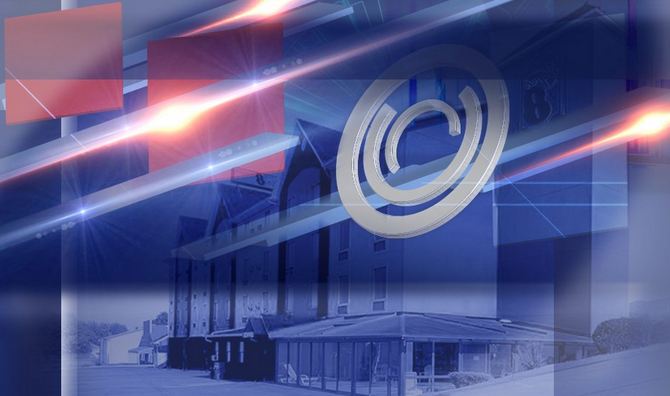
Just kidding, you already have a color palette: the goddamn American flag. Anything besides red, white and blue would be cowardly and socialist.

Ah, what diverse range of colors to work within!
Don’t forget to include gradients.
2. Add some shapes
You know, something that’s evocative yet appropriate for either “Cute Puppy Learns How to Play Candy Crush ” or “Brutal Genocide Rids the World of Puppies” : Squares. Rectangles. Lines. Circles inside circles.

And now …. MAKE EM ALL 3-D.
No flat design … nevermind it’s the most popular aesthetic trend of this decade. You need shapes with DIMENSIONS because you’re presenting the REAL news FROM ALL SIDES.
Also, add some gradients.

NOW WE’RE TALKING.
3. Add some super snazzy light effects.
As long as news graphics are around, the underappreciated art of laser light shows will live on.
Choose effects that will leave the viewer wondering “ooooooo where is the shiny light going and can I follow.” Don’t worry about having any motion design skills … any basic video editing software will have these presets available for you.
Also, add more gradients.
4. Throw a cityscape on there.
Does your smallass city not have much of a skyline? No problem. Take a photo of your biggest, most European-looking building from below to fake some semblance of a skyline.
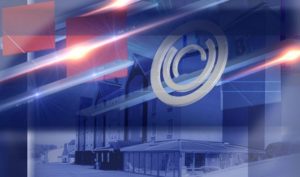
Also, add some more gradients.
5. Now get real zoomy on your text.
Are you offering a hard-hitting perspective on current news? GOOD. LET’S SEE IT IN YOUR TEXT.

DYANAMIC SLANTS. WOOSH SOUND EFFECTS. BOLD FONTS. The more it looks like an overly dramatic Powerpoint slide, the more journalistic integrity you have.
Make it all glow-y and gradient-y.